Scene Setup
Getting started
Let's get started by first creating a new scene in Rude and from there we will explain what each one of them does.
In Rude, each level must be inside of a bundle. Bundles can contain more than 1 level and gives the ability to create campaigns. Start by pressing the Rude button in the toolbar and hit Rude Exporter, create a new bundle, set a name for the bundle, an author name(your name) and a thumbnail(you can use level thumbnails from the game). If you want, you can set a custom name for the levels folder. After that, press Create Bundle.
After creating a bundle, you can create the level itself. Press the Create new level. When hovering on the level button, there will be Modify and Open Scene buttons. Go to the Modify menu and set a unique ID for the level. In there you can also change the name of the level and the thumbnail. After that you can go back and finally open the levels scene.
StatsManager
Each ULTRAKILL level must have certain objects and scripts in order to work properly. For example: StatsManager, Event System and etc. Let's start with StatsManager.
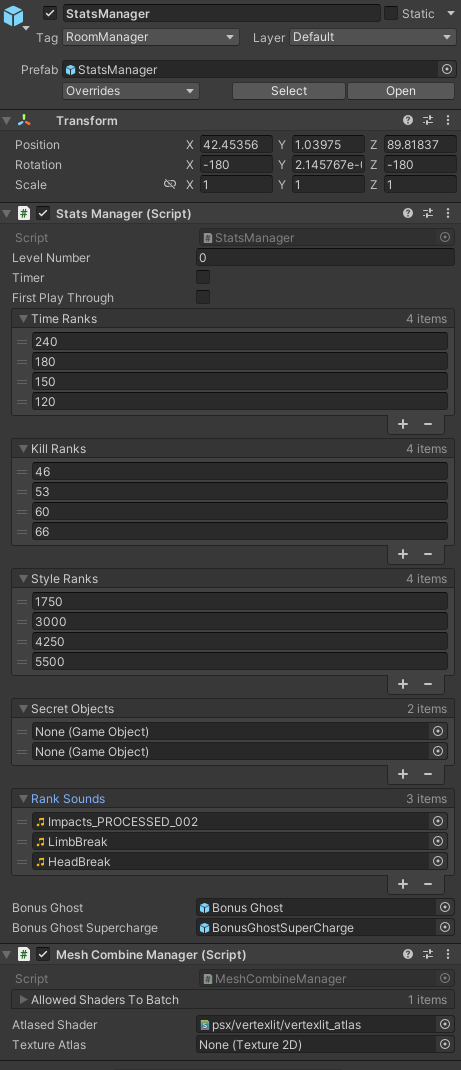
This is StatsManager. It defines ranks and secrets for the level. The ranks are defined in an ascending order, from the top to bottom(D at the top and S at the bottom). In the Secret Objects tab, secret orbs(bonuses) are defined. This works only with objects defined as Bonus. Inside of the gameobject you can find MusicManager, you will learn more about it by proceeding further into the tutorial.
The level number must be set to -1 to open the tab menu to see rankings, time, etc.
StockMapInfo

This is StockMapInfo, You can think of it as an extension of StatsManager, The key difference is it's only used for visual information about the level such as the level layer and level name that appears when coming out of the hellevator, It also shows the level name from the tab menu in the Large Text field, Another thing is the Large Image field which is used by the game's discord RPC system.
Essentially, Using an image hosting website like https://imgbb.com/ , you can upload a 4:3 image of the level and copy its link, and paste it in that field to make it so the level's image shows on Discord when you play it.
FirstRoom

This is by far the most important gameobject in the scene, as it contains the player. You may be inclined to use the direct prefab of the first room but it is broken and requires some tweaks before it can be used due to containing missing scripts.
FinalRoom
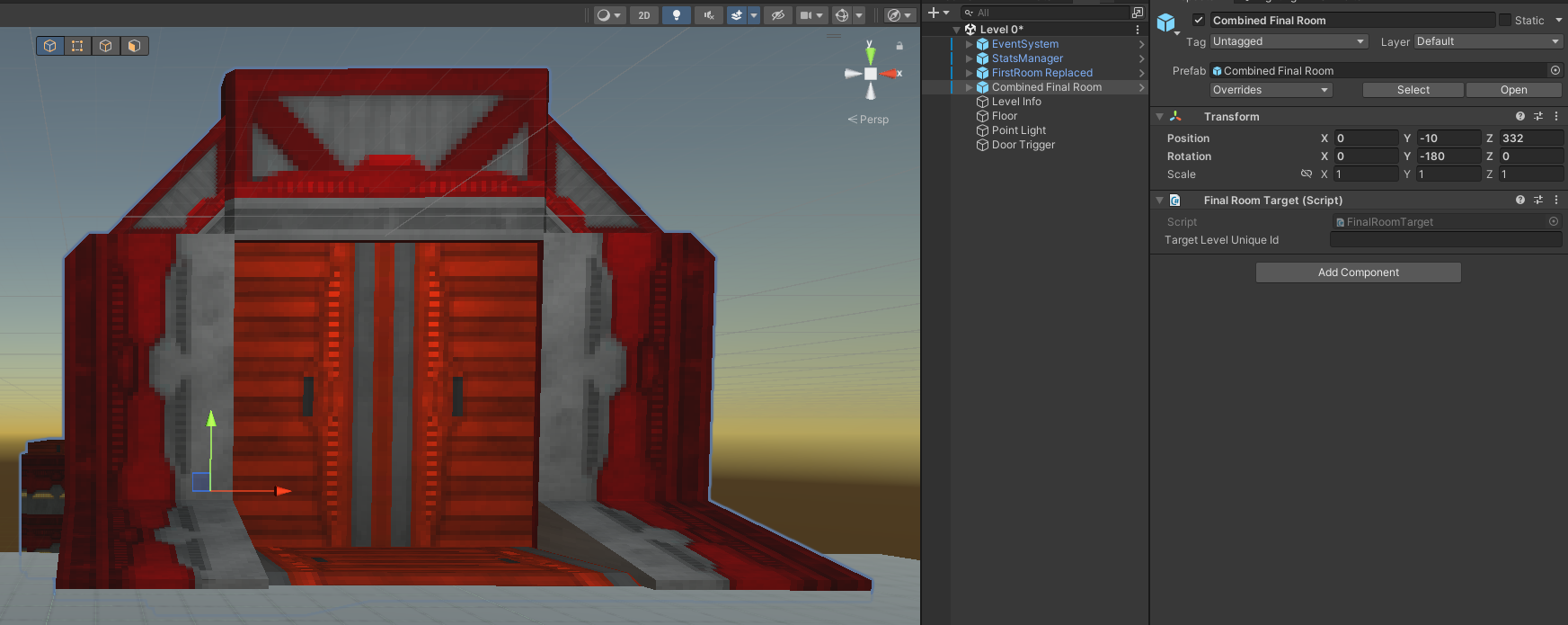
The difference between final room and first room is the fact that final room allows you to use its direct prefab, which means you can easily add custom stuff there.
The final room does not open by itself, in order to open it, you need to activate FinalDoorOpener gameobject.
Do not be alarmed that the final room has no pit, upon the activation of the gameobject FinalDoorOpener the door opens and the pit is activated.
EventSystem
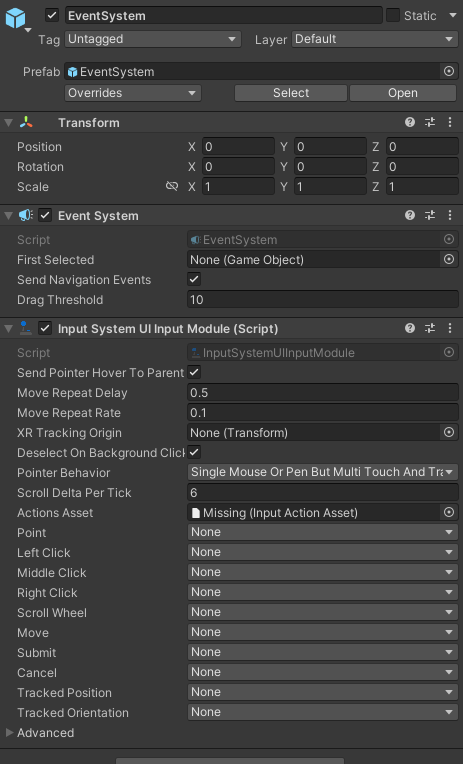
Event System is an object that is used for internal purposes in ULTRAKILL. It is not intended to be changed. Do not touch it unless you know what you are doing.